Deferred Payment Plan

Deferred Tuition Payment Plan

To help meet your education expenses, CCCC is proud to offer a tuition payment plan. This is not a loan program or financial aid. There are no interest or credit check.

The cost to budget your interest-free payment plan is a $30 per semester Enrollment Fee.

Cost to Participate 

$30 Non-Refundable Enrollment Fee payable by:

  • Credit/Debit Card via Self Service
  • Visa 
  • Mastercard 
  • Discover

Deferred Payment Availability 

Availability of the deferred payment plan is determined by Central Carolina Community College.  Please be aware the college may elect not to have the payment plan available during specific times and dates during registration. 

There is a $300.00 minimum to enroll. 

Simple Steps to Enroll 

See details below or download enrollment instructions

  1.  Login to CCCC Portal  
  2. Select Self Service   
  3. Student Finance 
  4. Make a Payment   
  5. Create Payment Plan

Dates To Enroll By

Target Dates To Enroll By
Fall 2026 Semester Enroll between July 13 – Aug. 18 1st Payment Due - 1/3 of tuition/fees 2nd Payment Due 3rd Payment Due
If enrolled between July 7 - July 9 Thursday, July 23 Friday, Oct. 9 Friday, Nov. 13
If enrolled between July 10 - Aug. 18 Monday, Aug. 10 Friday, Oct. 9 Friday, Nov. 13

REMEMBER

You must log in and make the next payment by the payment due date. CCCC DOES NOT save credit card information and DOES NOT have access to automatically draft your credit card for  
upcoming payments.  

BALANCE ADJUSTMENTS  

If you receive financial aid or add/drop a class, the Business Office will process balance adjustments before the next payment due date. For questions regarding your student account balance, call the Central Carolina Community College Business Office at 919-718-7517.  

QUESTIONS?

Have additional questions on how the payment plan works?  Contact the Business Office!

Location: Lee Main Campus, Hockaday Hall, Building 09 
Mon-Thurs, 8:00 a.m. - 5:00 p.m. and Friday 8:00 a.m.-  3:30 p.m. 
Phone: (919) 718-7517
Email: cashiers@cccc.edu 


How to set up a Payment Plan via Self-Service

Download Payment Plan Instructions or continue below.

Step 1: Log into your self-service account by visiting www.cccc.edu > Select Logins > CCCC Portal
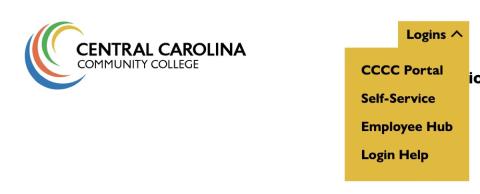
Step 1: Log into Portal

Step 2: Login with your credentials
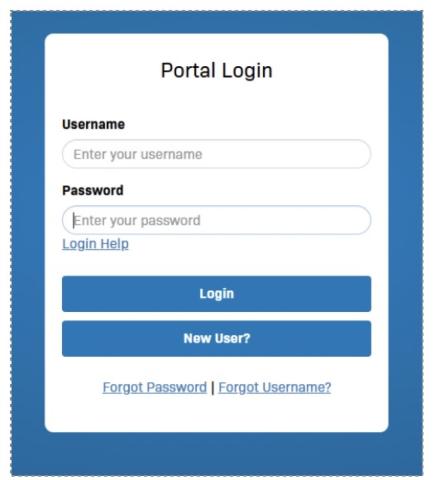
Deferred Payment Steps

Step 3: Click on the Self-Service Icon:
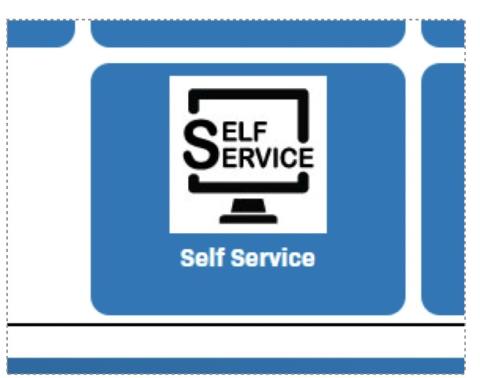
Deferred Payment Steps

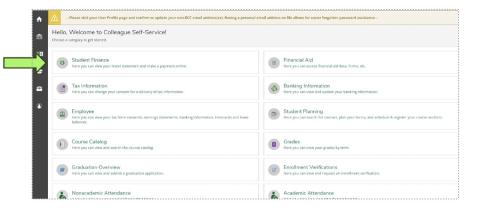
Step 4: Click on Student Finance

Deferred Payment Steps

Step 5: Select "Make a Payment"

Step 6:  Click on “Create a Payment Plan”. Here you will be able to initiate your payment plan and make your down-payment.
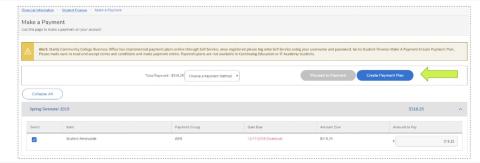
Deferred Payment Steps

Step 7: Once you have completed your payment plan set-up and made your down payment, you are finished.

REMEMBER: You must log in and make the next payment by the payment due date (see below). CCCC DOES NOT save credit card information and DOES NOT have access to automatically draft your credit card for upcoming payments.